
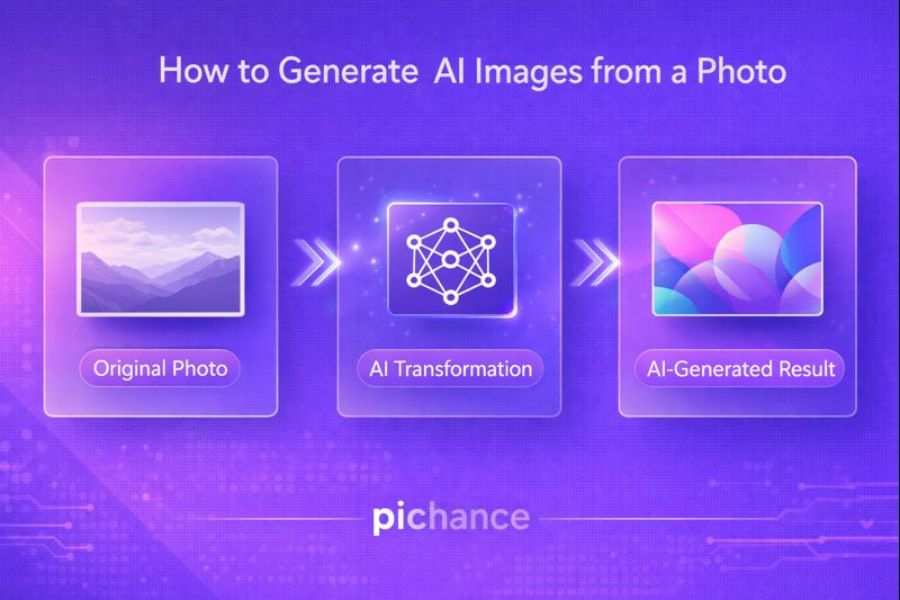
Directly answering the search intent: In 2026, generating AI images from an existing photo—technically known as Image-to-Image (Img2Img) generation—is the primary way creators maintain visual consistency while exploring limitless artistic styles. By using your photo as a structural seed, AI can transform reality into digital masterpieces.
This guide establishes trust and clarity by walking you through the neural mechanics of photo-based generation. We set clear expectations for what AI image generation can truly achieve: it is not about simple filtering, but about reinterpreting visual data through a creative lens.
The rise of AI art and photo transformation
The explosion of Diffusion models has democratized art. What once required a professional illustrator can now be achieved in seconds by feeding a simple smartphone snap into a neural engine. This cultural shift has turned everyone into a potential digital painter.
Why people want more than simple photo editing
Traditional editing is restorative; it fixes what is already there. Modern creators want transformative tools—the ability to turn a backyard selfie into a cyberpunk landscape or a classic oil painting while keeping the facial identity intact.
How AI generation differs from traditional filters
Filters apply a mathematical overlay to existing pixels. AI generation, however, redraws the image from noise. It uses your photo as a map of “weighted probabilities,” ensuring the composition remains similar while the actual pixels are entirely brand new.
Photo-to-AI Masterclass
- What It Means to Generate From a Photo
- How AI Understands and Uses a Photo
- Different Ways to Generate AI Images
- What You Need Before Generating
- Common Mistakes to Avoid
- Step-by-Step Generation Guide
- Prompt Writing Tips for Photos
- How Much Control You Really Have
- Realistic Expectations and Limits
- Best Use Cases for Photo-Based AI
- AI Generation vs Traditional Editing
- Ethical and Practical Considerations
Latent Space Mapping
Translating photo pixels into AI conceptual data
Neural Style Engines
Preserving geometry while changing the aesthetic
Real-Time Diffusion
Instant iterations for 2026 creative workflows
Industry Standard Pipeline
Optimal Denoising Strength
Max Upscale Rendering
What It Means to Generate an AI Image From a Photo
Using an existing photo as a visual reference
In photo-based generation, your original image acts as a “scaffold.” Instead of the AI guessing where a face or a mountain should be from a text prompt alone, it uses the RGB values of your photo to lock in the composition and depth. This ensures the output isn’t random, but structurally tied to your source.
Creating a new image rather than editing the original
It is crucial to understand that AI generation is destructive and generative. You aren’t just adjusting the brightness of the original pixels; you are asking the AI to look at your photo, forget the pixels, and draw a brand new image that mimics the shapes it saw. This allows for changes that editing cannot touch, such as changing a person’s clothing or the weather in a scene.
Understanding style transfer, enhancement, and recreation
These are the three pillars of photo-based AI. Style Transfer keeps the content but changes the medium (e.g., photo to oil painting). Enhancement uses the photo to add hyper-realistic detail that wasn’t captured by the lens. Recreation uses the photo as a loose inspiration to create a completely different but familiar scene.
How AI Understands and Uses a Photo
Visual pattern recognition
When you upload a photo, the AI’s “Encoder” breaks the image down into a mathematical map of shapes and edges. It doesn’t see “a person,” it sees a high-probability cluster of vectors that represent human geometry. This is why AI can “recognize” a pose even if the lighting is poor.
Facial features, shapes, lighting, and textures
Modern AI in 2026 uses IP-Adapters and ControlNets to separate these layers. It can isolate the lighting of your photo and apply it to an entirely different subject, or take the texture of a sweater from your photo and apply it to a generated character. This granular understanding is what makes photo-based AI so powerful.
How AI separates subject from style
Through a process called Semantic Segmentation, the AI identifies the “Subject” (the focal point) vs. the “Background.” This allows you to prompt the AI to “Keep the person but change the background to a futuristic city,” without the person being morphed into a skyscraper.
Different Ways to Generate AI Images From a Photo
Photo-to-AI Art Transformation
This is the most popular use case—turning your vacation photos into Ghibli-style animations or Marvel-style illustrations. The AI maintains the identity and pose but replaces the realistic texture with stylized brushstrokes or cel-shading.
AI Style Transfer
Style transfer allows you to take the “vibe” of one image and force it onto your photo. If you love the color palette of a specific movie, you can use that movie still as a “Style Reference” for your own photo, resulting in a perfectly color-graded masterpiece.
AI Image Recreation
In this mode, the AI uses your photo as a conceptual seed. It creates a new image that might change the person’s age, gender, or setting while maintaining the “spirit” of the original. This is used heavily in storytelling and character design.
AI Enhancement With Creative Output
Unlike standard upscaling, Creative Enhancement adds details that weren’t there. If you upload a blurry photo of a forest, the AI can “generate” specific species of moss and realistic light rays (God rays) to make the image look like it was shot on a $50,000 cinema camera.
What You Need Before Generating AI Images
A clear, high-quality source photo
AI is a “Garbage In, Garbage Out” system. If your source photo is pixelated or has heavy motion blur, the AI will interpret those errors as “intentional shapes.” For a sharp AI transformation, start with a photo that has clear contrast and defined edges.
Understanding your desired outcome
Are you looking for a literal transformation or a creative departure? Defining this determines your Denoising Strength. A low strength (0.3) keeps the photo mostly the same; a high strength (0.75) gives the AI more freedom to be creative.
Knowing whether you want realism or creativity
Realism requires strict prompts and specific models (like SDXL or Midjourney v6). Creativity allows for “flowery” prompts and looser references. Deciding this early prevents frustration when the AI produces something too “weird” or too “boring.”
Common Mistakes People Make With AI Photo Generation
Using low-resolution images
Low-res images lack the “data points” the AI needs to map features. This often results in “hallucinated” faces where eyes are misaligned or textures look like plastic. Always use at least a 1080p source for best results.
Expecting exact duplicates
AI generation is an interpretation, not a photocopy. Expecting the AI to capture every single mole, freckle, or exact strand of hair will lead to disappointment. The goal is vibe-matching, not pixel-cloning.
Overloading prompts with too many instructions
If you provide a photo and a 200-word prompt, the AI gets “prompt confused.” It struggles to balance the visual data with the text data. Keep prompts focused on the Style and Atmosphere, and let the photo handle the Structure.
Step-by-Step: How to Generate AI Images From a Photo
Step 1 – Choose the Right Photo (Visual Integrity)
Professional Strategy: The AI “reads” light as much as shape. If you use a photo with “flat” lighting, the AI output will lack depth and look like a 2D sticker. Use photos with high dynamic range (HDR) to provide the neural engine with enough “depth cues” to create a realistic 3D-feeling generation. If your subject is a person, ensure their eyes are clearly visible, as the AI uses the iris as a primary anchor point for identity preservation.
Step 2 – Decide the Transformation Type (Divergence Planning)
Technical Best Practice: This is where you determine your Denoising Strength. If you want a literal transformation (e.g., you but as a Viking), aim for a strength of 0.4 to 0.55. If you want a purely artistic interpretation (e.g., your pose used for a brand new character), push it to 0.7 or higher. Planning this “Divergence” prevents you from wasting tokens on generations that are either too similar or too different from your goal.
Step 3 – Upload the Photo to an AI Image Tool (Seed Mapping)
Advanced Workflow: In 2026, tools like ControlNet allow you to upload your photo and extract only the “Canny Edges” or “Depth Map.” This is superior to standard uploads because it tells the AI: “Keep these exact lines, but fill them with whatever I say in the prompt.” If you are using Midjourney, use the --cref (Character Reference) tag alongside your photo URL to ensure the face doesn’t change as you move the subject into different scenes.
Step 4 – Write a Clear and Focused Prompt (Context Layering)
The Prompt Secret: Do not describe what is ALREADY in the photo. If the photo has a man in a hat, the AI knows there is a man in a hat. Instead, describe the New Reality. For example: “Vibrant neon lighting, cyberpunk city background, intricate mechanical details, cinematic lens flare.” By focusing on the Style and Environment, you avoid “Prompt Clashing,” where the AI gets confused between what it sees in the image and what it reads in your text.
Step 5 – Generate and Review Results (Iterative Refining)
Expert Review: Generation is never a “one-click” process. Professionals use a technique called “Prompt Shifting.” If the AI is making the face too dark, they add “Bright studio lighting” to the prompt and generate again. Once you have a 90% perfect image, use Generative Fill to fix the remaining 10%. This hybrid approach—combining AI generation with manual selection—is the only way to achieve gallery-grade results in 2026.
Prompt Writing Tips for Photo-Based AI Image Generation
Keep prompts descriptive but concise
Long, rambling prompts dilute the AI’s attention. Use “Comma-Separated Keywords” rather than full sentences. Instead of “I want a picture that looks like it was painted by a master,” use “Masterpiece oil painting, heavy impasto, rich textures.”
Focus on style and mood, not technical jargon
Unless you are a photographer, avoid technical terms like “f/1.8” which can sometimes confuse the AI’s composition logic. Use Emotional Keywords like “Ethereal,” “Gritty,” “Nostalgic,” or “Whimsical.” The AI is better at translating “Vibe” than “Physics.”
Use reference language instead of commands
Instead of saying “Change his shirt to blue,” say “Subject wearing a vibrant blue silk shirt.” Framing the prompt as a state of being rather than a command to change helps the AI integrate the new data more smoothly into the photo’s structure.
How Much Control You Really Have Over the Final Image
Influence vs precision
You have 100% influence but rarely 100% precision. AI is a “stochastic” process, meaning there is always a degree of randomness. You can steer the ship, but the AI chooses the exact shape of the waves. Accepting this Creative Collaboration is key to enjoying the process.
Why AI outputs vary
Every generation starts with a “Seed”—a random noise pattern. Even with the same photo and prompt, a different seed will result in a different version. This is why pros generate in “batches” of 4, 10, or 20 to find the “lucky” seed that perfectly aligns with the source photo.
When iteration is necessary
If the first result isn’t perfect, don’t delete your prompt. Tweak the weights. Increase the “Image Weight” if the AI is ignoring your photo; decrease the “Denoising Strength” if the face is becoming unrecognizable. Refinement is 90% of the work.
Realistic Expectations When Using AI From Photos
AI does not perfectly replicate faces every time
In 2026, we have “Deepfake” level tech, but it still struggles with unique facial asymmetries. The AI tends to “beautify” or “standardize” faces based on its training data. If your goal is a 1:1 perfect legal ID photo, AI generation is the wrong tool.
Small details may change
The AI might change the number of buttons on a jacket, the specific color of jewelry, or the background’s exact geometry. These “micro-changes” are part of the generative process and are usually necessary to make the new style look cohesive.
Artistic interpretation is part of the process
The AI is “dreaming” based on your photo. Sometimes it will add a hat you didn’t ask for or change the season from summer to fall because it thinks it looks better in the chosen art style. Embrace the “Happy Accidents.”
Best Use Cases for AI Image Generation From Photos
Profile and Portrait Images
Create professional LinkedIn headshots from casual selfies or stylized Discord avatars that maintain your likeness but look like high-end concept art.
Social Media Content
Turn ordinary lifestyle shots into eye-catching visuals that stand out in a saturated feed. Stop using generic filters and start using unique AI art.
Marketing and Branding
Generate campaign visuals without expensive photo shoots. Take a basic product snap and “generate” it into a luxury lifestyle setting or a surreal 3D environment.
Creative Projects
Use your own photos as character references for graphic novels, storyboards, or concept design. It ensures your characters look consistent across different “scenes.”
AI Image Generation vs Traditional Photo Editing
| Feature | Traditional Editing (Photoshop) | AI Generation (Midjourney/SD) |
|---|---|---|
| Goal | Correction and Enhancement | Transformation and Creation |
| Precision | 100% Manual Control | Probabilistic Interpretation |
| Flexibility | Limited by Original Pixels | Unlimited Creative Potential |
| Speed | Hours for Complex Art | Seconds per Iteration |
| Logic | Pixel Modification | Neural Reconstruction |
Ethical and Practical Considerations
Consent and photo ownership
Never generate AI images from a photo of someone else without their explicit consent. AI can be used to create highly realistic but fake scenarios (Deepfakes), which is a violation of personal privacy and ethics. Your creative freedom ends where someone else’s identity begins.
Avoiding misleading representations
In commercial settings, be transparent if an image is AI-generated. Using AI to “fake” product features or results (especially in beauty or fitness) is misleading and can damage brand trust. Use AI for Aesthetics, not for Deception.
Responsible AI usage
Be mindful of the “Bias” inherent in AI models. AI often leans toward specific beauty standards or cultural stereotypes. As a creator, it is your responsibility to steer the AI toward diverse and inclusive representations.
Why Photo-Based AI Image Generation Is Growing in 2026
Faster tools
We have reached “Real-Time Diffusion.” You can now see the AI transform your photo as you move sliders, making the creative process intuitive and instantaneous.
Better visual understanding
AI models in 2026 have a deep “3D understanding” of photos. They can rotate a subject from a 2D photo into a different angle with perfect anatomical accuracy, something that was impossible in 2023.
Demand for personalized visuals
In an AI-saturated world, generic “Text-to-Image” art is becoming stale. People want personalized AI art—images that feel connected to their own lives and memories. The “Photo-to-AI” pipeline is the heart of this personalization trend.
Final Thoughts: AI Image Generation Is Creation, Not Editing
Reinforce the mindset shift
To master this technology, you must stop thinking like an editor and start thinking like a Director. Your photo is your lead actor; your prompt is your script; the AI is your production team. You aren’t “fixing” a photo; you are birthing a new vision.
Encourage experimentation
The best AI artists are the ones who aren’t afraid to “break” the AI. Try weird prompts, use “bad” photos as seeds, and push the Denoising Strength to the limits. The most stunning art often lives at the edge of the AI’s logic.
Leave readers confident and informed
You now have the technical blueprint and the strategic mindset to transform any photo into an AI masterpiece. Whether for business or pure creative joy, you are ready to command the most advanced visual engines of 2026 with absolute precision.
Frequently Asked Questions
--cref (Character Reference) or Stable Diffusion’s LoRA training allow the AI to learn your facial features and generate brand new images of you in any costume, setting, or art style imaginable.